We're experts in software, marketing, and product design.
Strategic alignment makes happier teams and better results.
Our team can help:
plan and build something new
fix inefficient processes
improve collaboration
Featured projects
01 / 05
PNSN map screenSeeing and analyzing events is the primary purpose of this map screen, so we worked to remove all of the 'chrome' (outside UI, buttons, and menus) so that the map could fill the full screen.
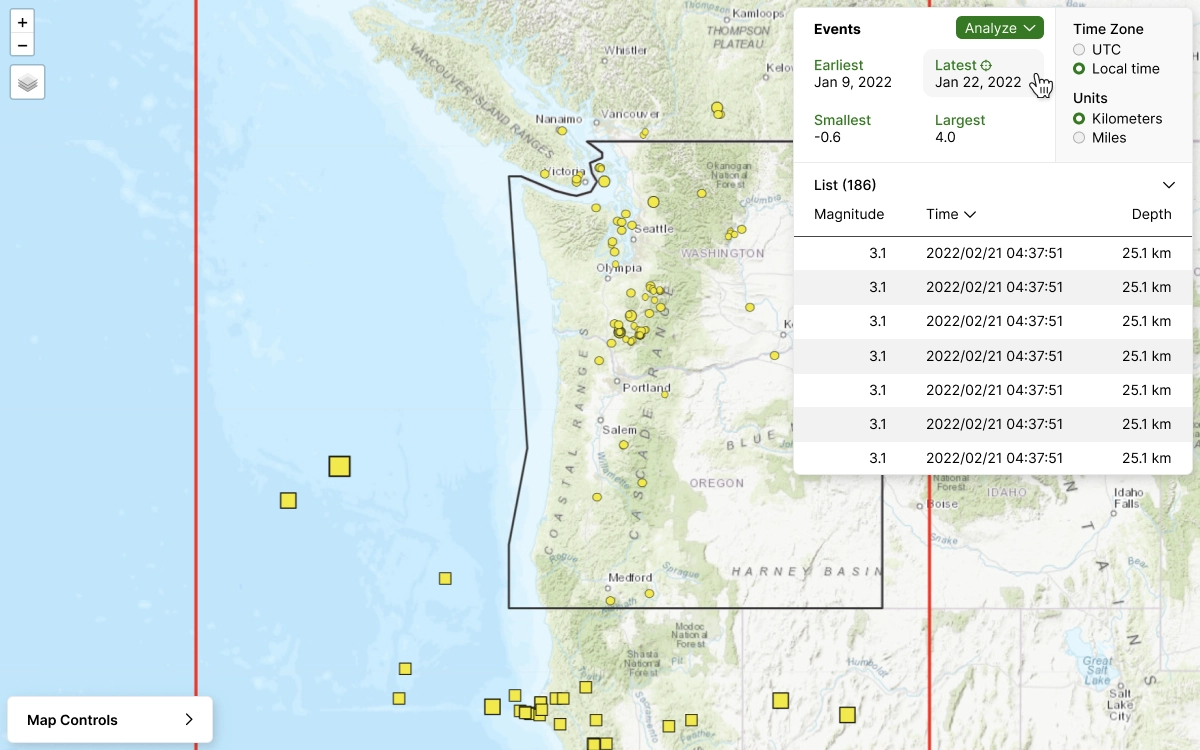
Recent Events ListAs with the previous version, the Recent Events List is expandable. We also added new features so that the events can be sorted by magnitude, time, or depth.
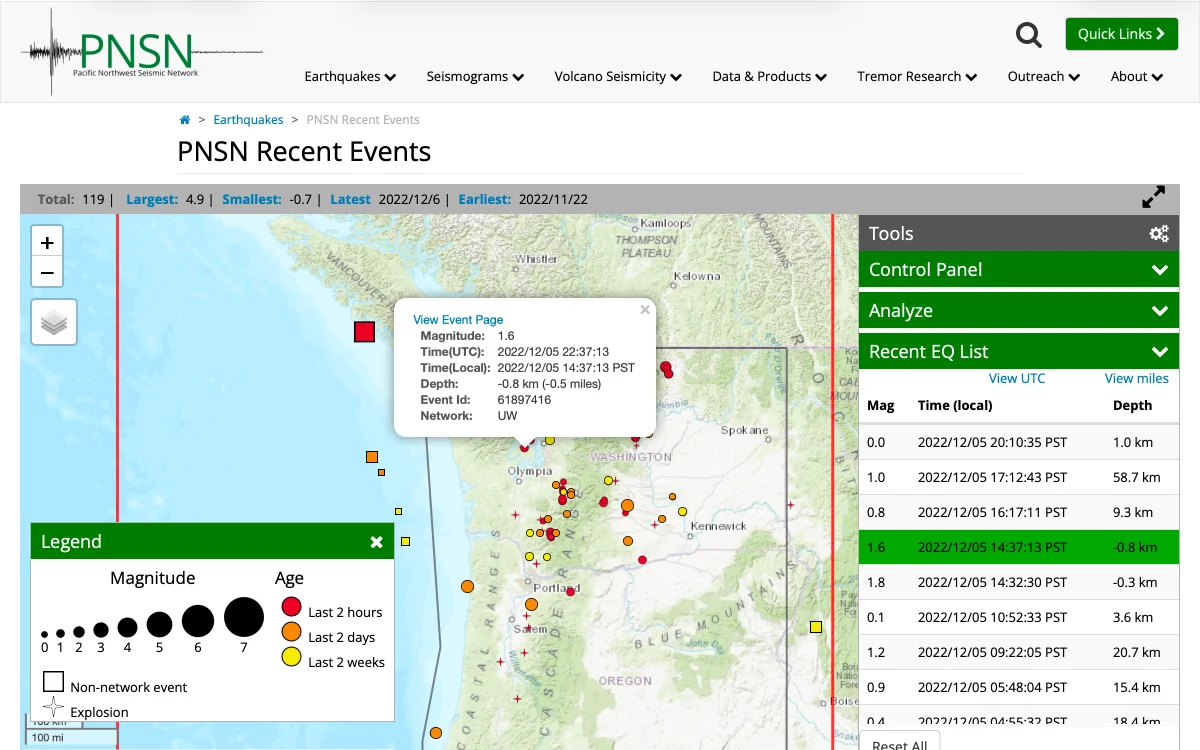
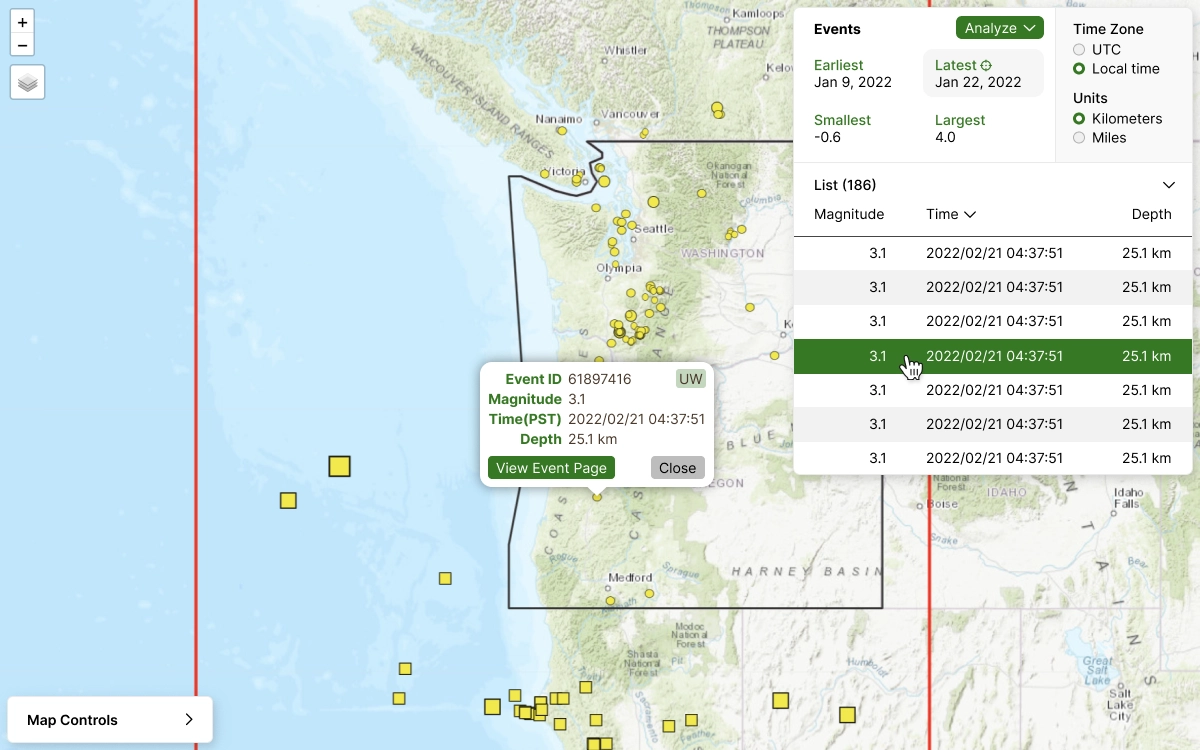
Event SelectedAfter selecting an event, the Event Details pop-up appears. We improved the layout and consolidated the data to match the user's preferences (eg, 'metric' vs 'imperial' measurements).
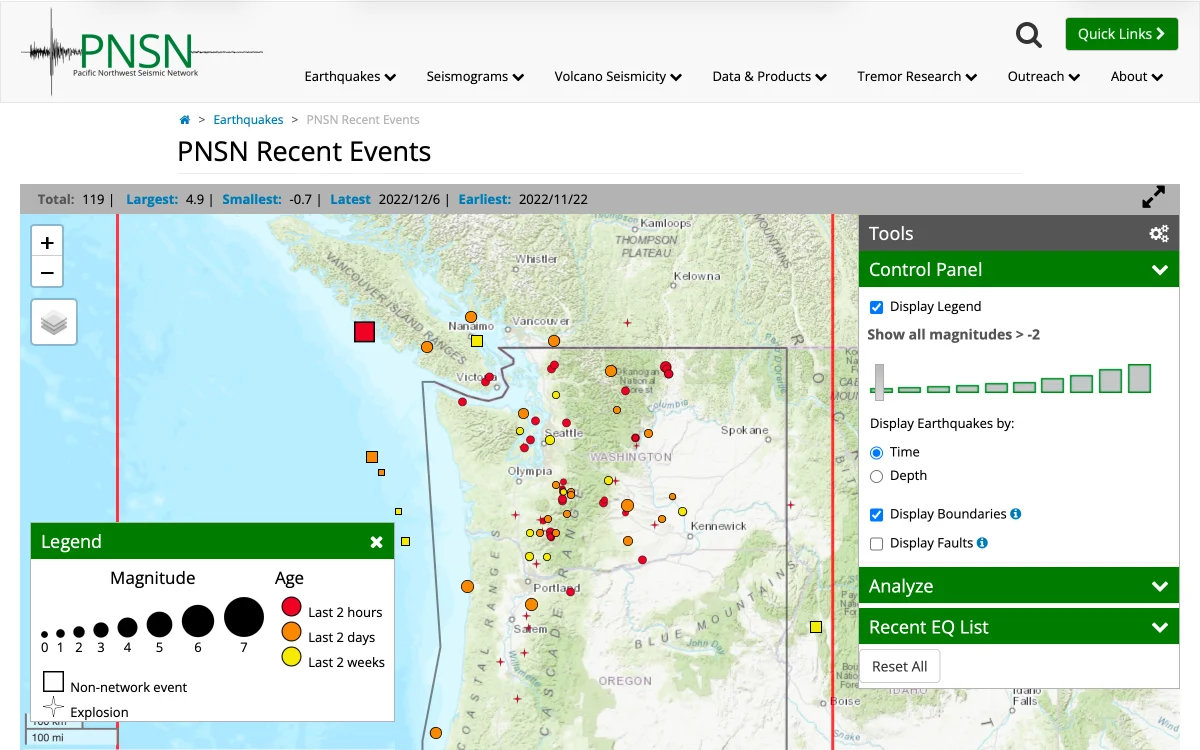
Control PanelThe new control panel consolidates all of the options and settings in a single pane. Additionally, by combining the Map Legend and the Magnitude filter, the filter options are easier to correlate with the events.
Analyze-Event PanelCondensing the Analysis Options into a simple menu keeps them readily available without cluttering the screen or switching panels. Once a cross-section is drawn, the Event List is populated with the highlighted events.
New UI Component DesignsThe users complained that the old UI felt 'clunky' and 'unpolished'. Updating the aesthetic with modern-looking components helped the interface feel more professional.
Development DocumentationWe created precise and easy-to-read documentation for each component to help the engineers build each component correctly. Separating the design into 'containers' and 'elements' makes the guidelines easier to understand.
Pacific Northwest Seismic Network
Usability and design improvements for the University of Washington's Geological Survey Portal.
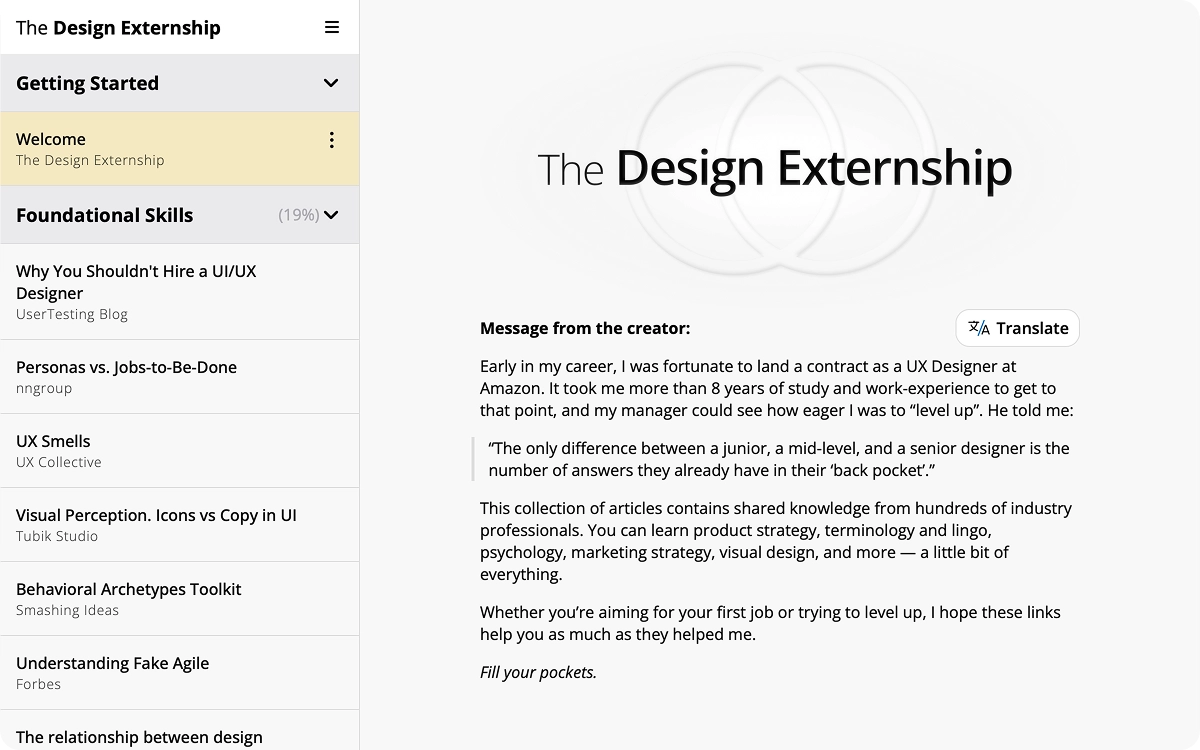
Welcome MessageThe Design Externship homepage features a fixed navigation panel for learning resources alongside the welcome message in the main content area.
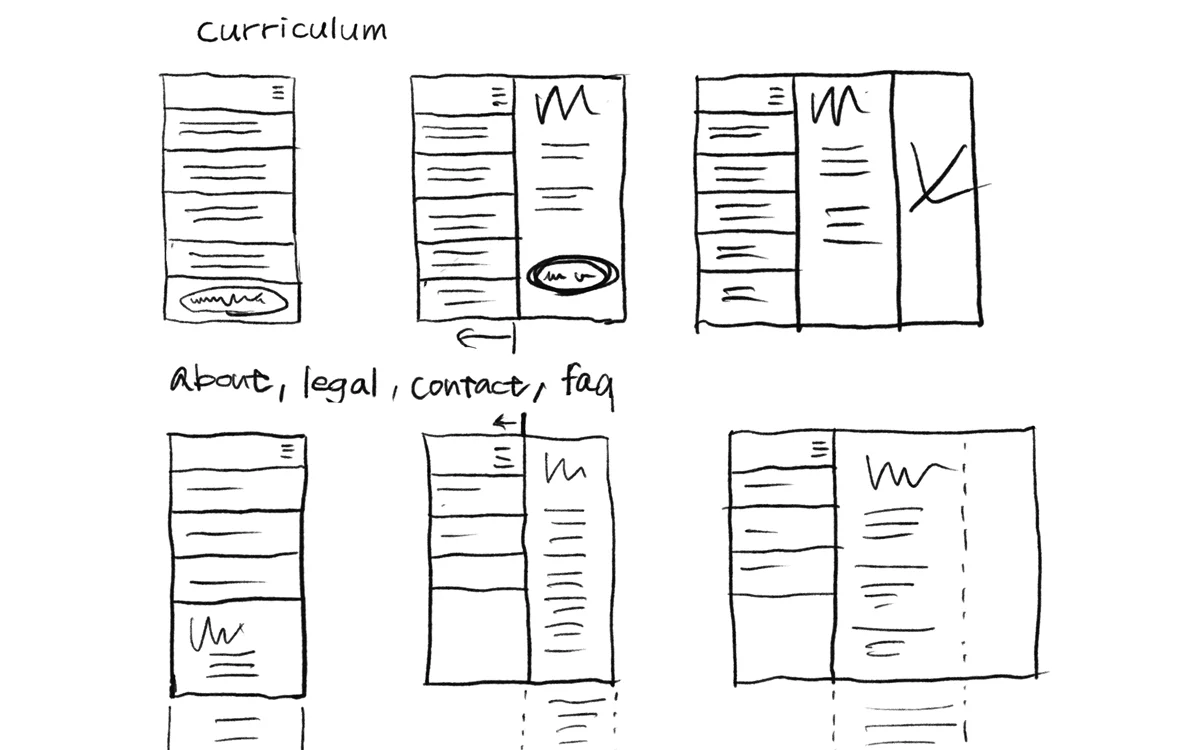
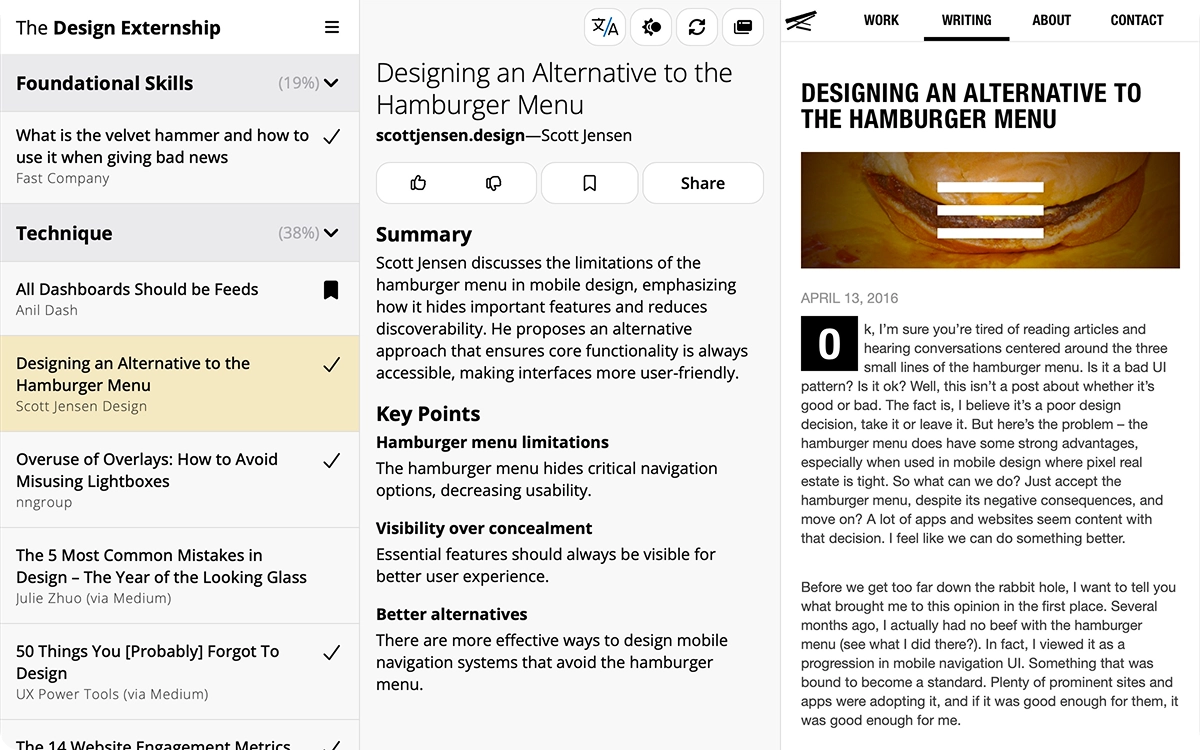
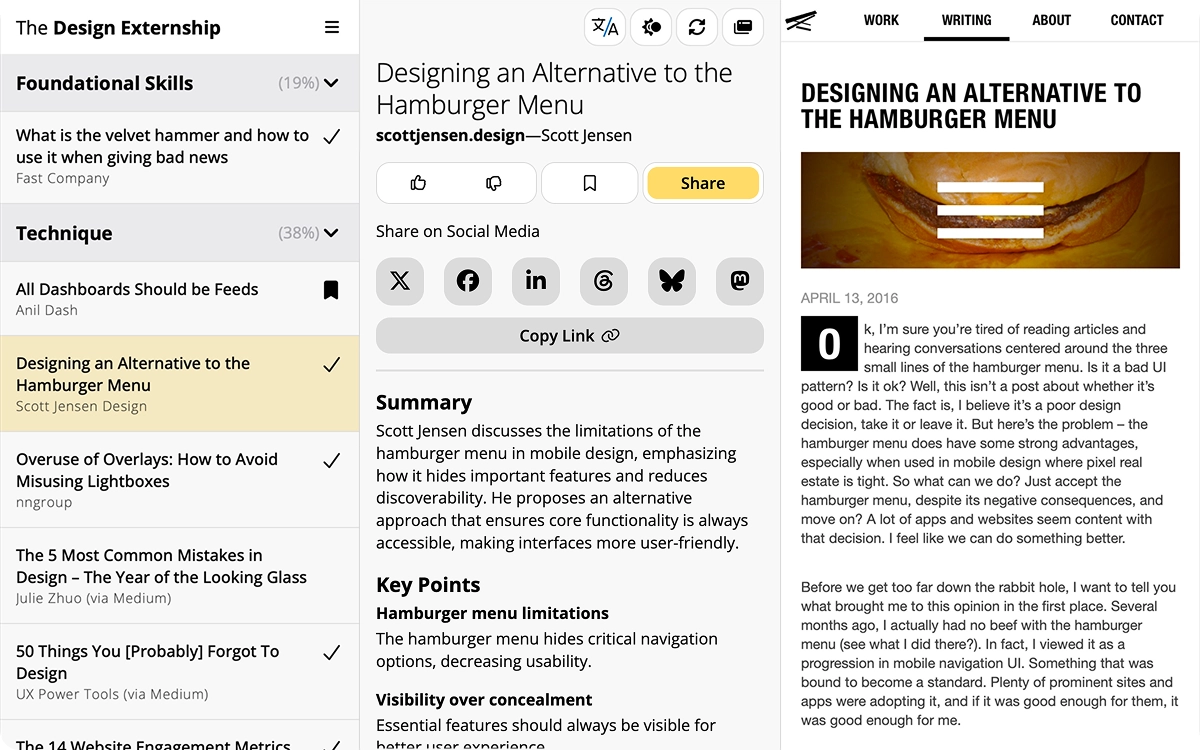
Main Learning InterfaceThe learning interface uses a three-column layout on desktop: On the left is a list of learning articles, in the center is the summary and key points for the selected article, and on the right, the full article is loaded.
Sharing MenuWe don't spend anything on marketing, so 'making it easy to share' was an important consideration in our design. When the 'Share' button is clicked, social and sharing options appear just below the button.
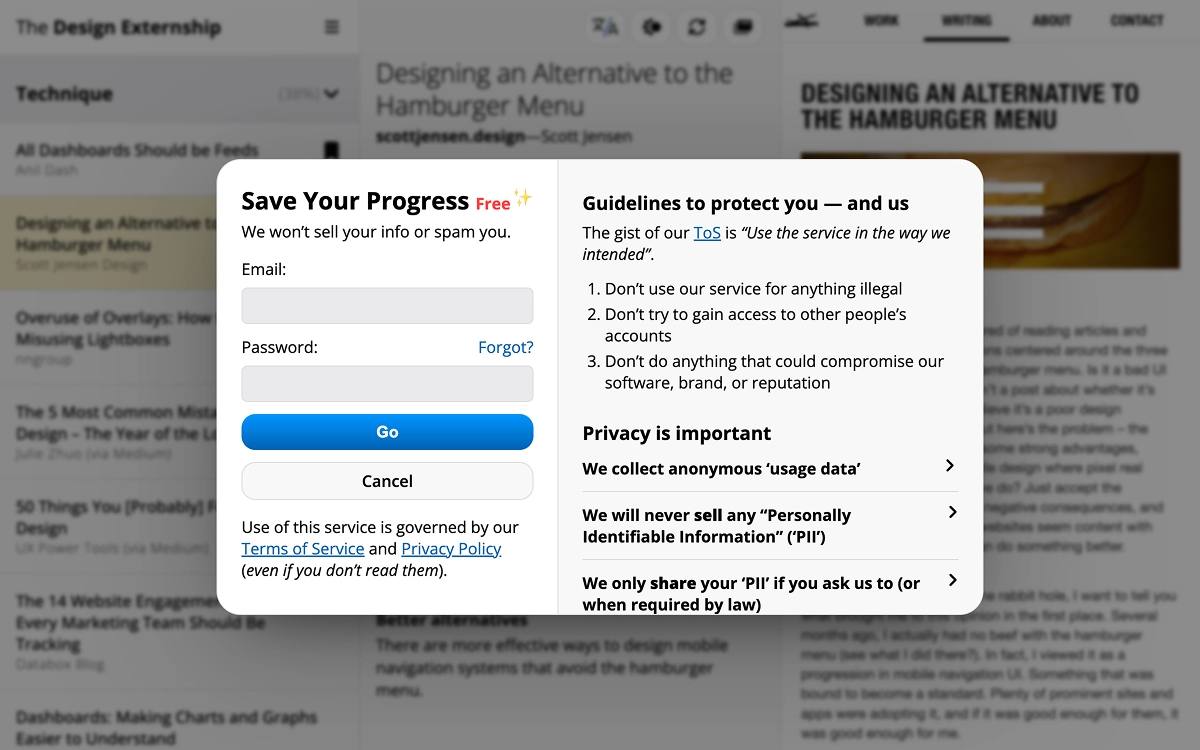
Registration ModalUsers can use the service completely anonymously, but we also nudge them to sign up so that they can continue studying on other devices. To keep things easy, the same log-in form can be used to sign up or sign in -- no extra confirmation steps required.
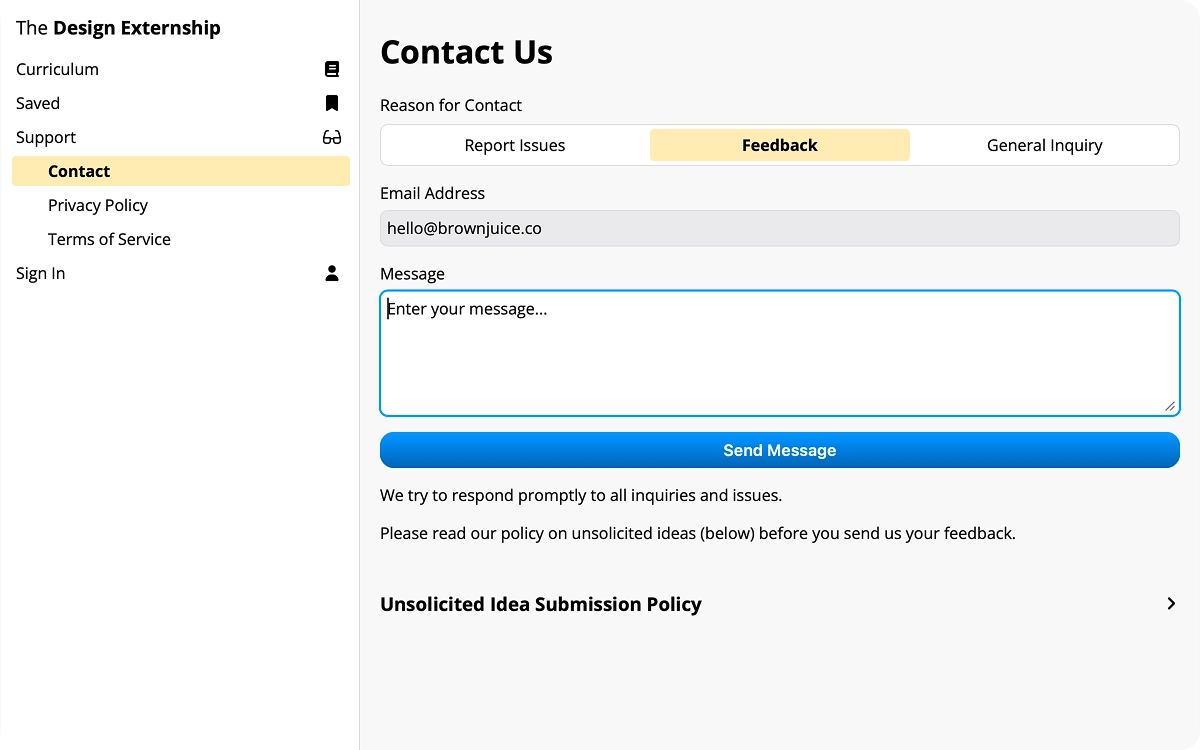
Support Pages (Contact)We expanded the content area for support pages to use both the center and right columns, which gives the user a bit more space to read the various policies or to provide feedback in the contact form.
The Design Externship
A complete Learning Management System (LMS) with a proven curriculum for UX Designers and Product Managers
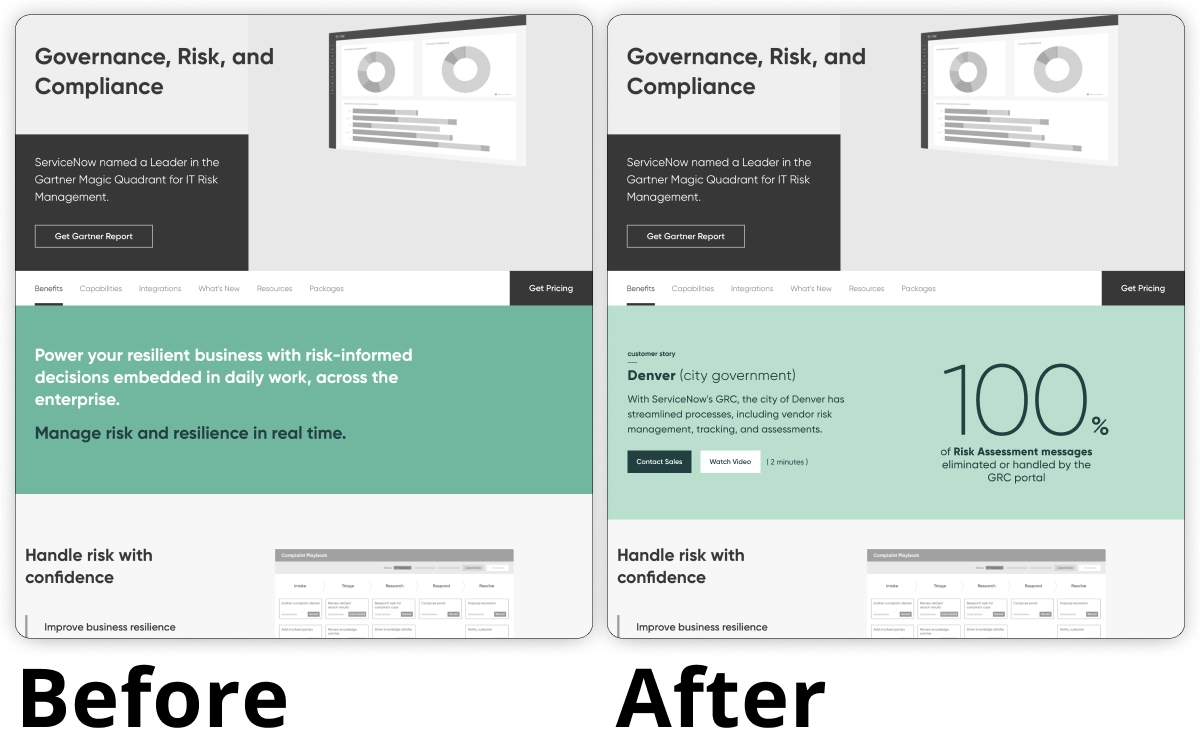
'GRC' Customer Outcome(Example 1 of 5) ServiceNow's products are difficult to explain, so instead, we reviewed ServiceNow's existing case studies to find success stories and metrics that would feel compelling to prospective customers.
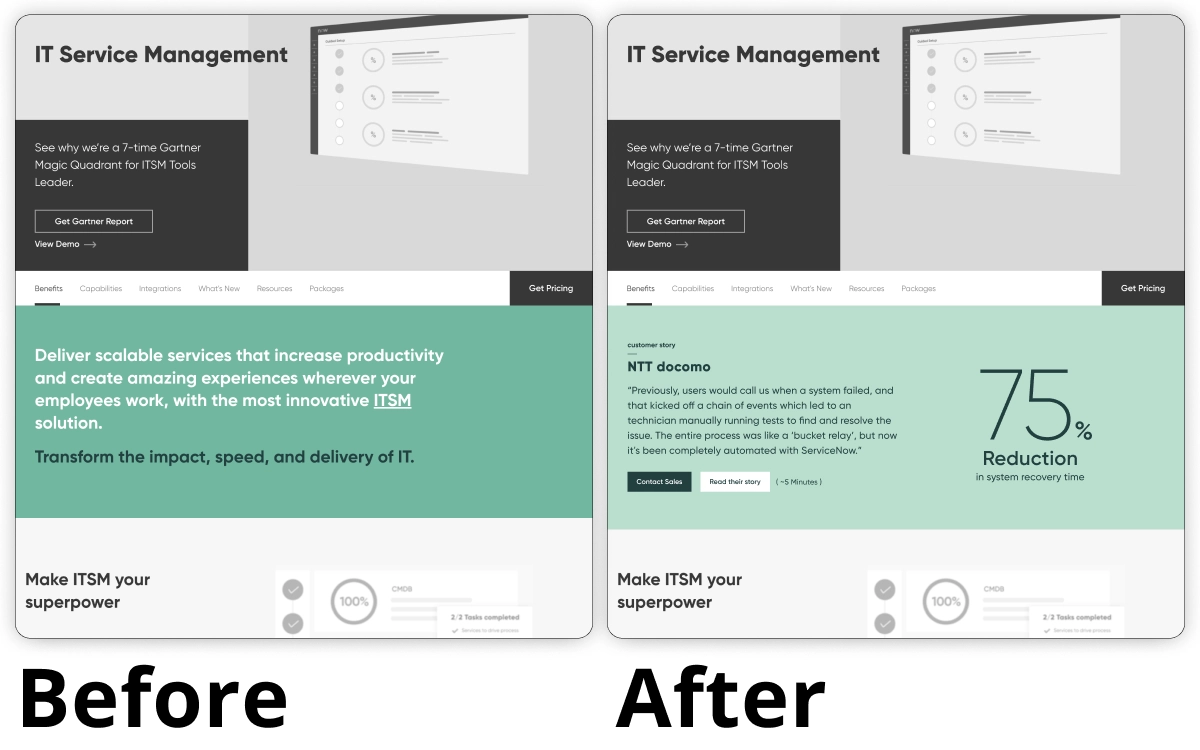
'ITSM' Customer Outcome(Example 2 of 5) ServiceNow's products are difficult to explain, so instead, we reviewed ServiceNow's existing case studies to find success stories and metrics that would feel compelling to prospective customers.
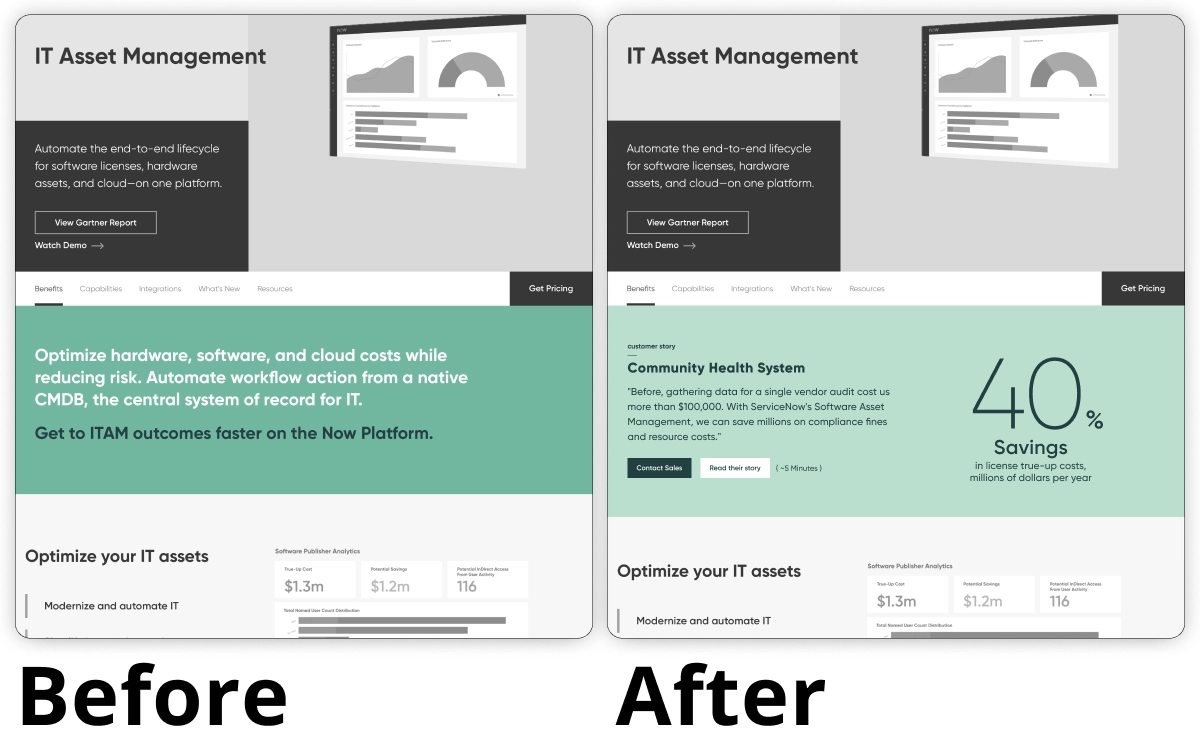
'ITAM' Customer Outcome(Example 3 of 5) ServiceNow's products are difficult to explain, so instead, we reviewed ServiceNow's existing case studies to find success stories and metrics that would feel compelling to prospective customers.
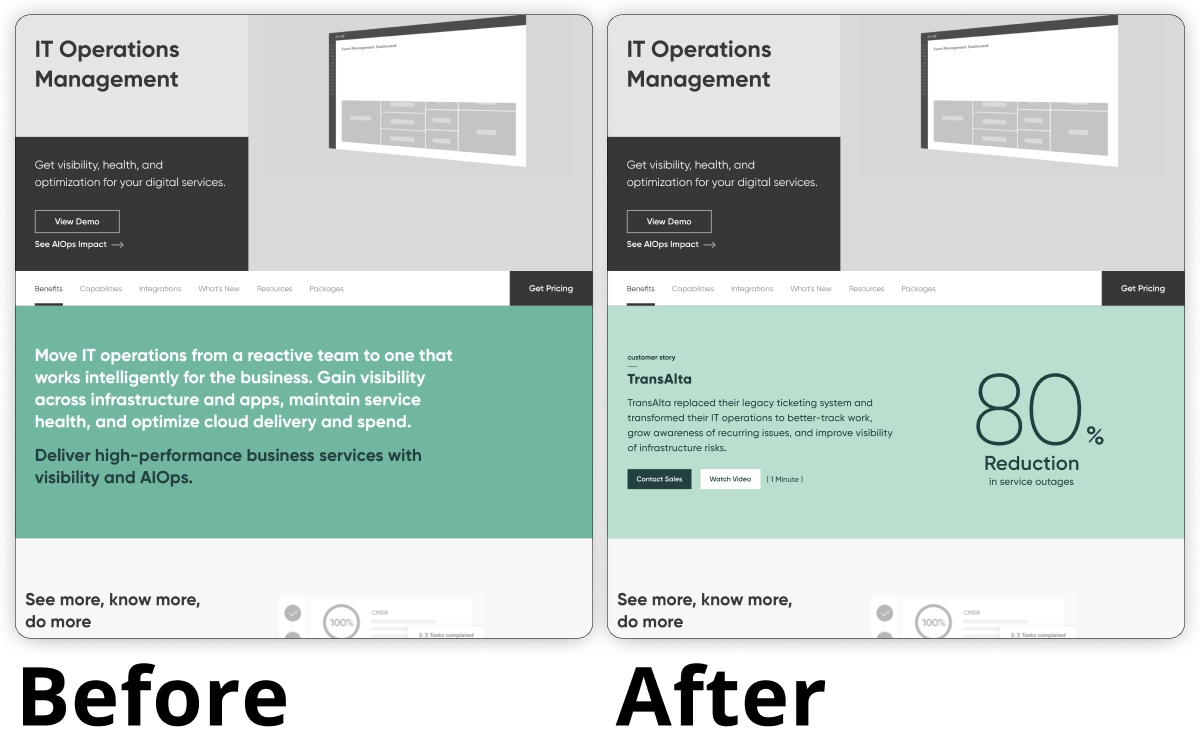
'ITOM' Customer Outcome(Example 4 of 5) ServiceNow's products are difficult to explain, so instead, we reviewed ServiceNow's existing case studies to find success stories and metrics that would feel compelling to prospective customers.
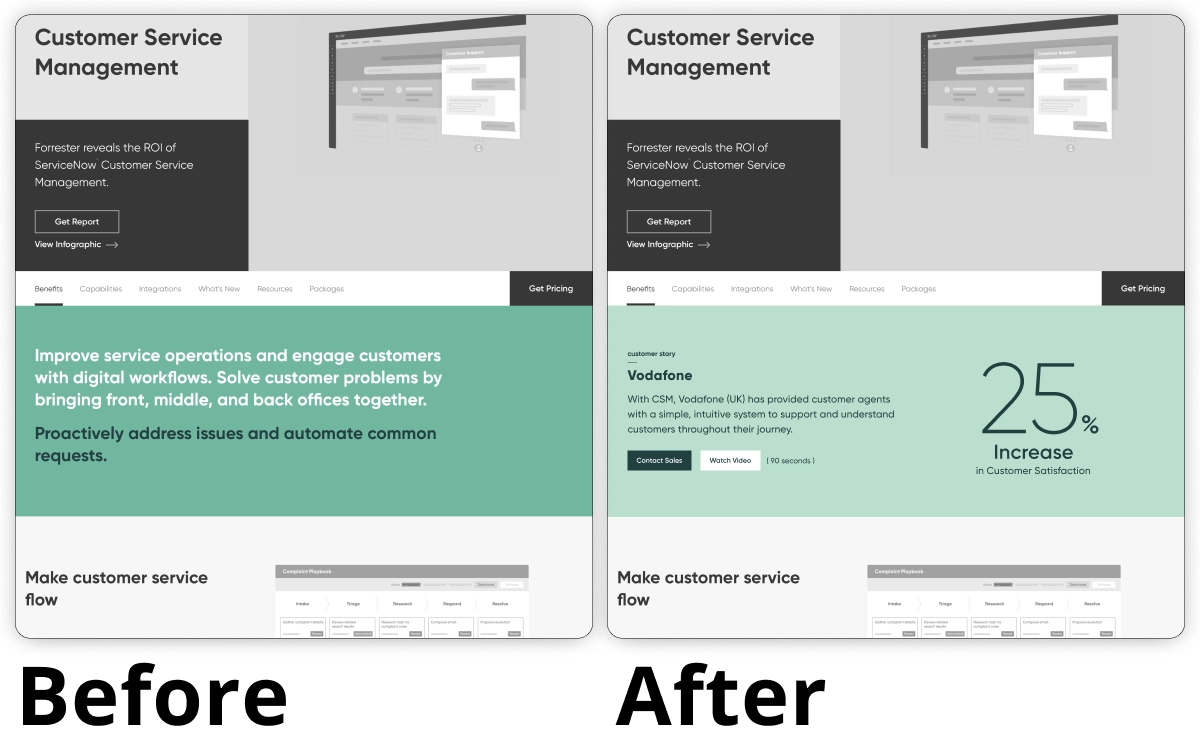
'CSM' Customer Outcome(Example 5 of 5) ServiceNow's products are difficult to explain, so instead, we reviewed ServiceNow's existing case studies to find success stories and metrics that would feel compelling to prospective customers.
ServiceNow Marketing Optimization
"If you can't explain what you do, at least tell 'em why it matters." — Minor content changes that created a boost to sales and revenue.
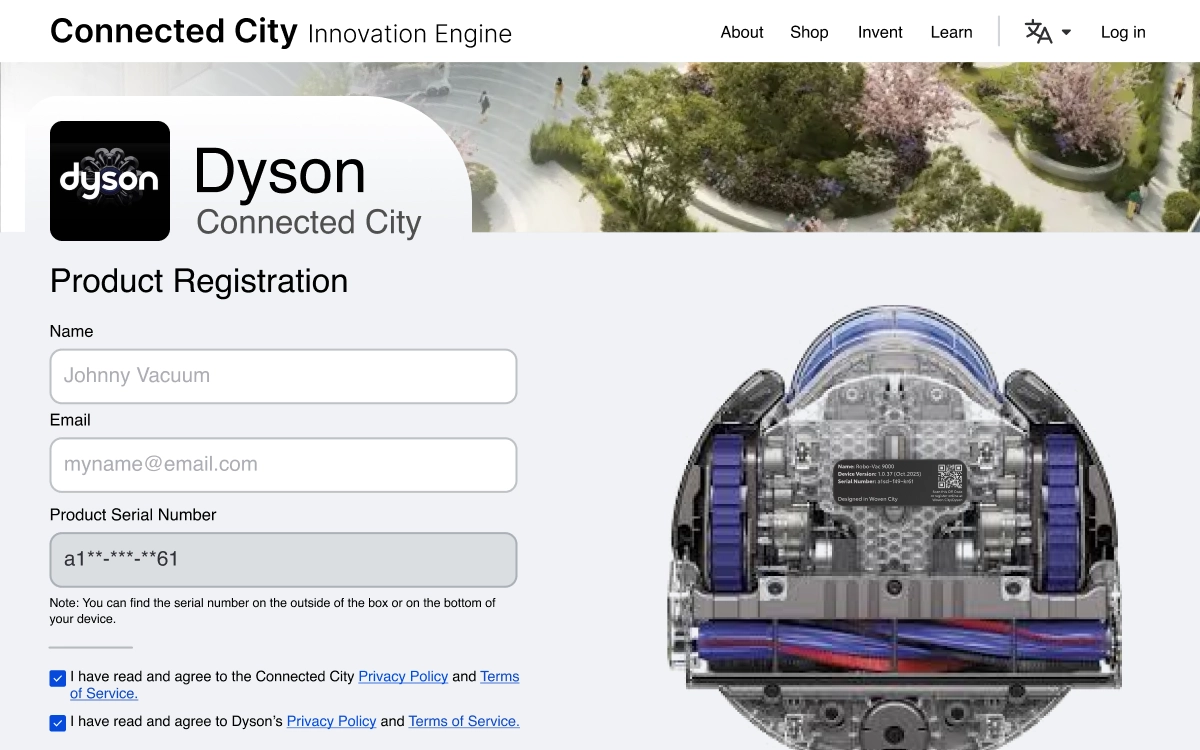
Product Registration PageLife in the Connected City means using lots of gadgets and new technologies. By centralizing all product registration features on a single UI, we were able to ensure that all robots and other devices could easily be registered with the Info-Sec team and city-wide automation systems.
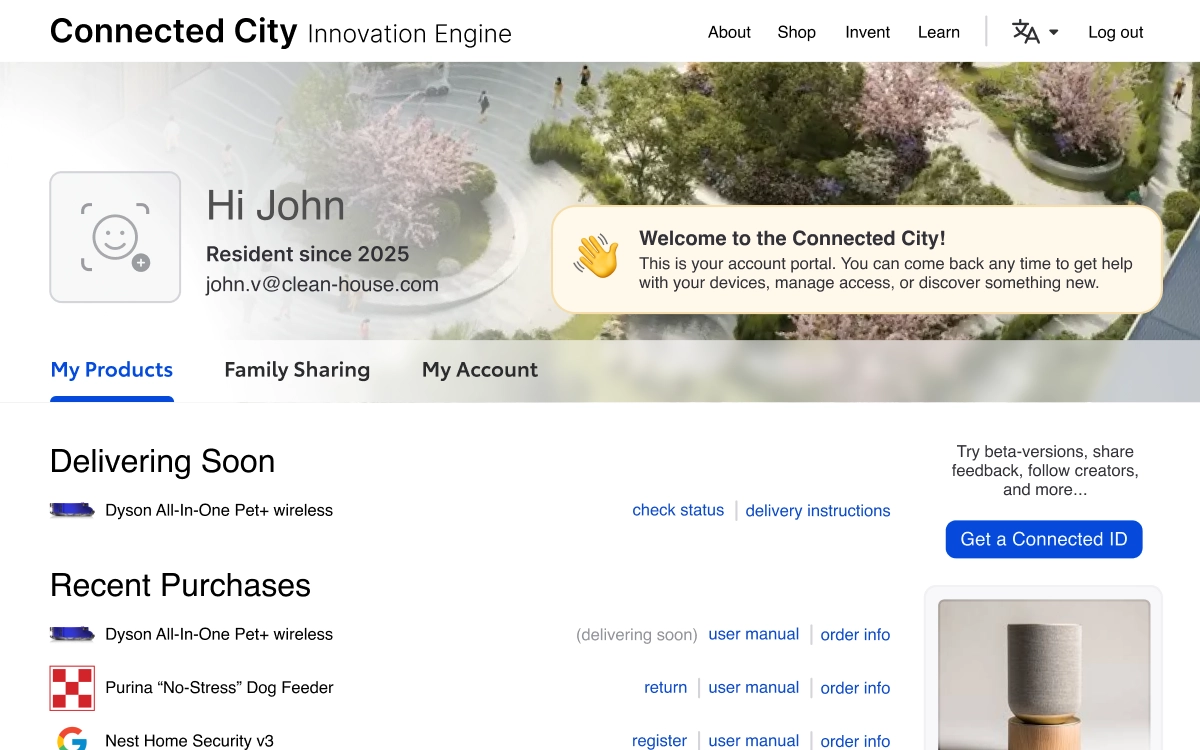
Resident Dashboard - My ProductsThe Connected City can manage all of your deliveries, including new items ordered through the Innovation Store.
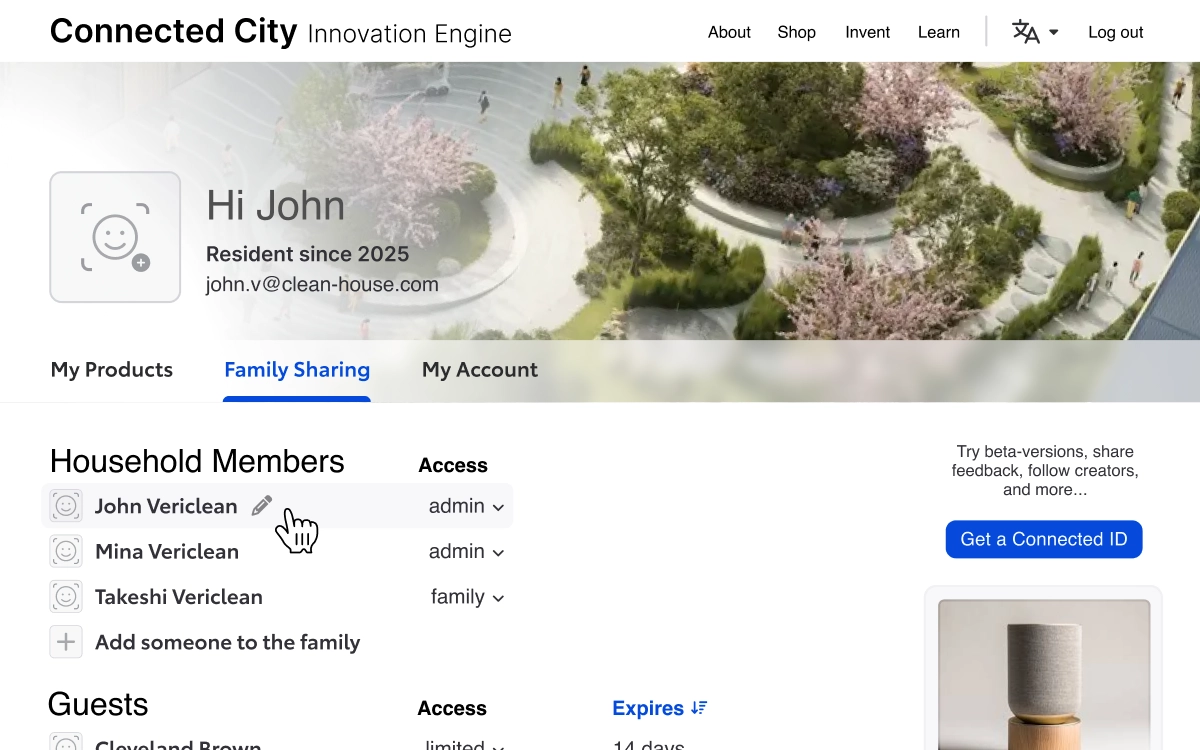
Resident Dashboard - Family SharingAdd the people you live with and manage their priveleges. You can also welcome guests into your home with limited access to services and systems.
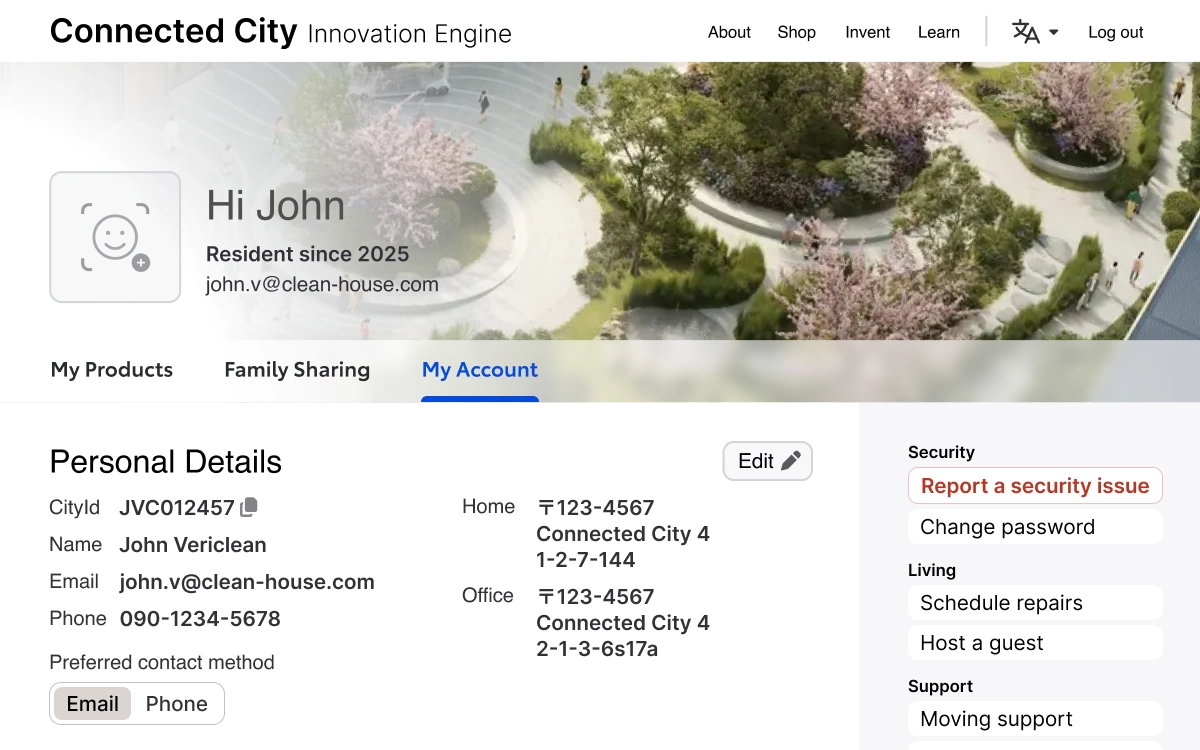
Resident Dashboard - My AccountView and update your account information, and quickly access security, living, and support resources.
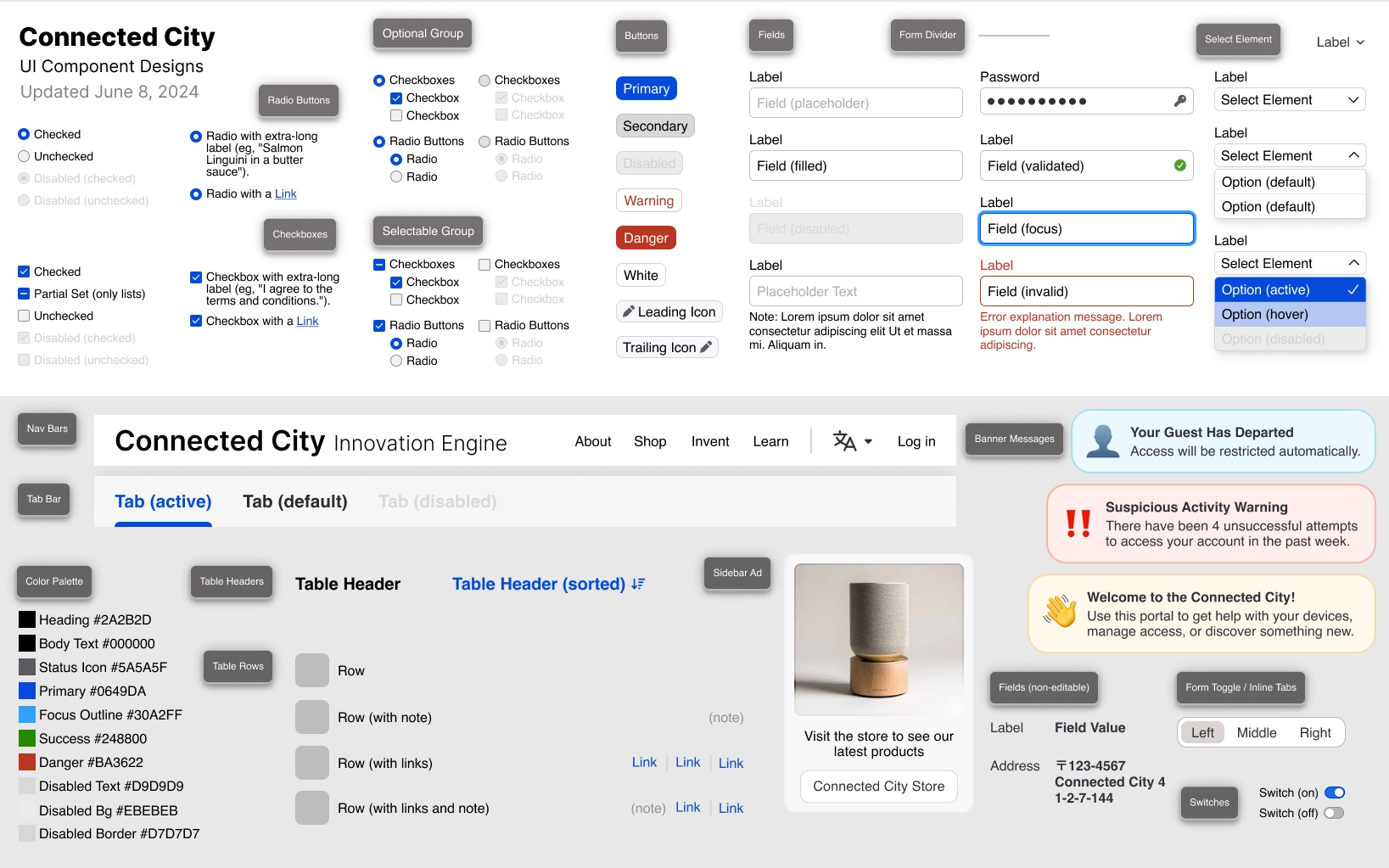
UI Component DesignsThe Resident Portal and Product Registration pages are a new service, so we created a modern set of UI components to match the friendly and welcoming feel of the city.
Connected City
Life in "the city of the future" should be comfortable and convenient — without sacrificing privacy or control. We designed the control-center to make it real.
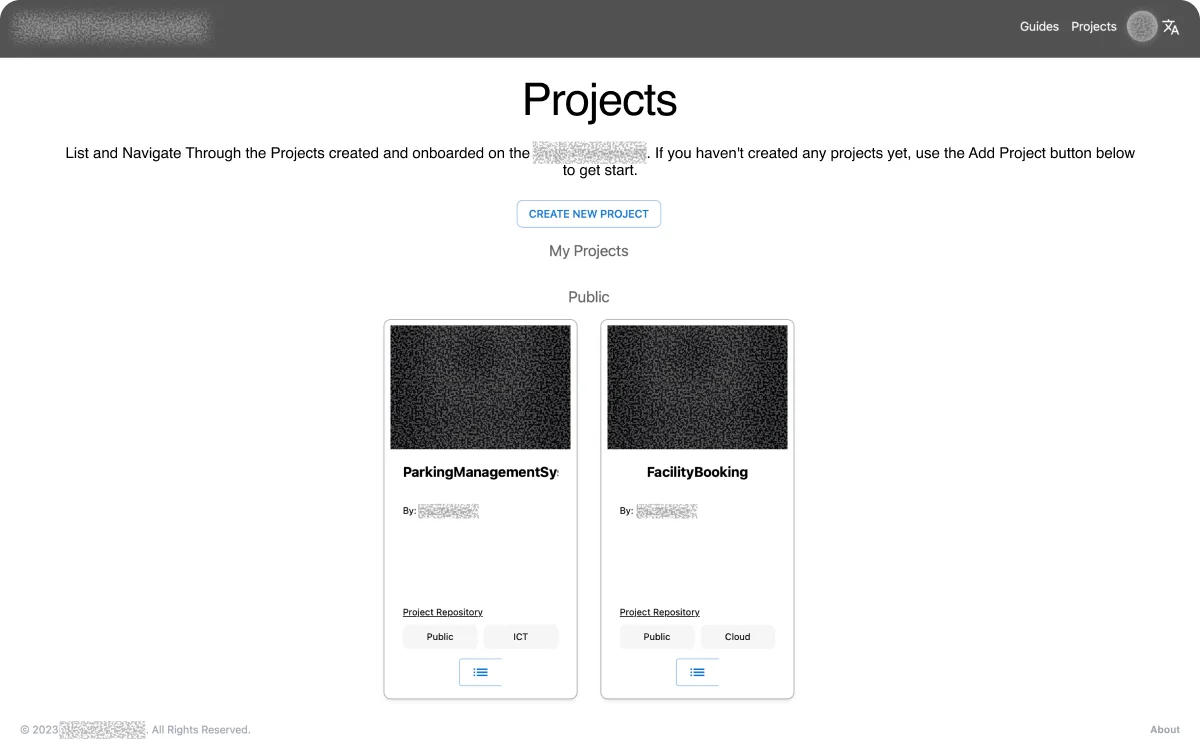
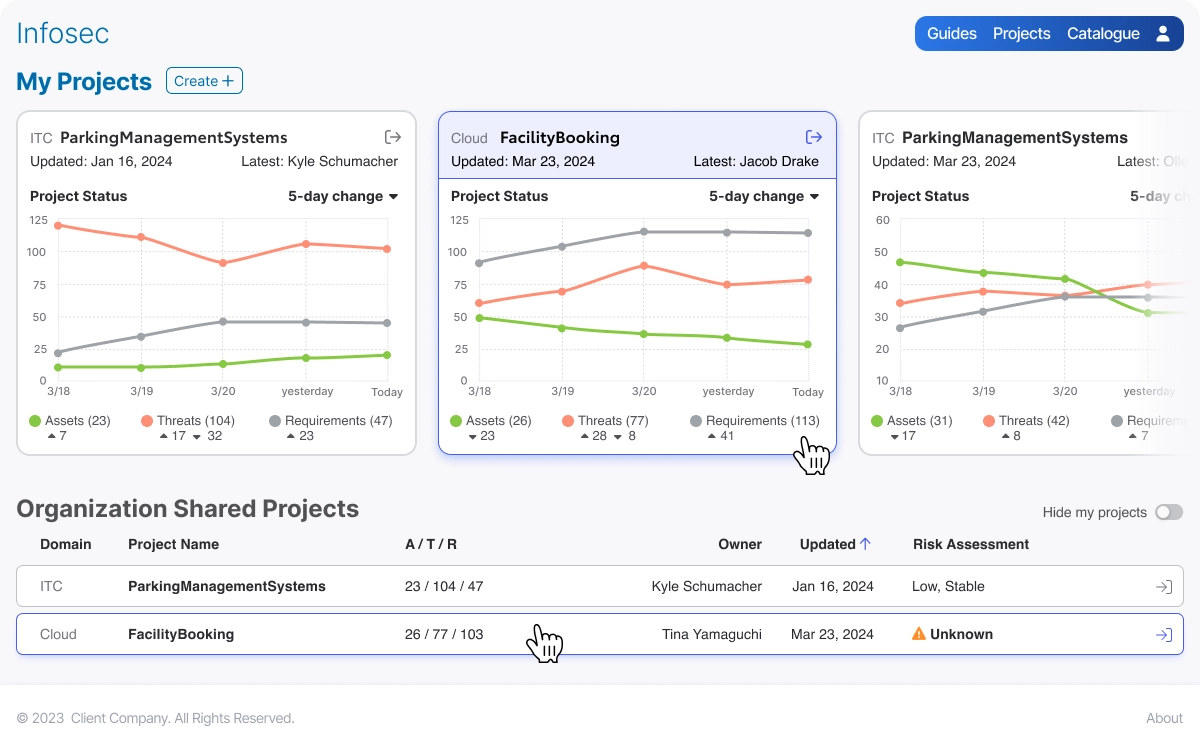
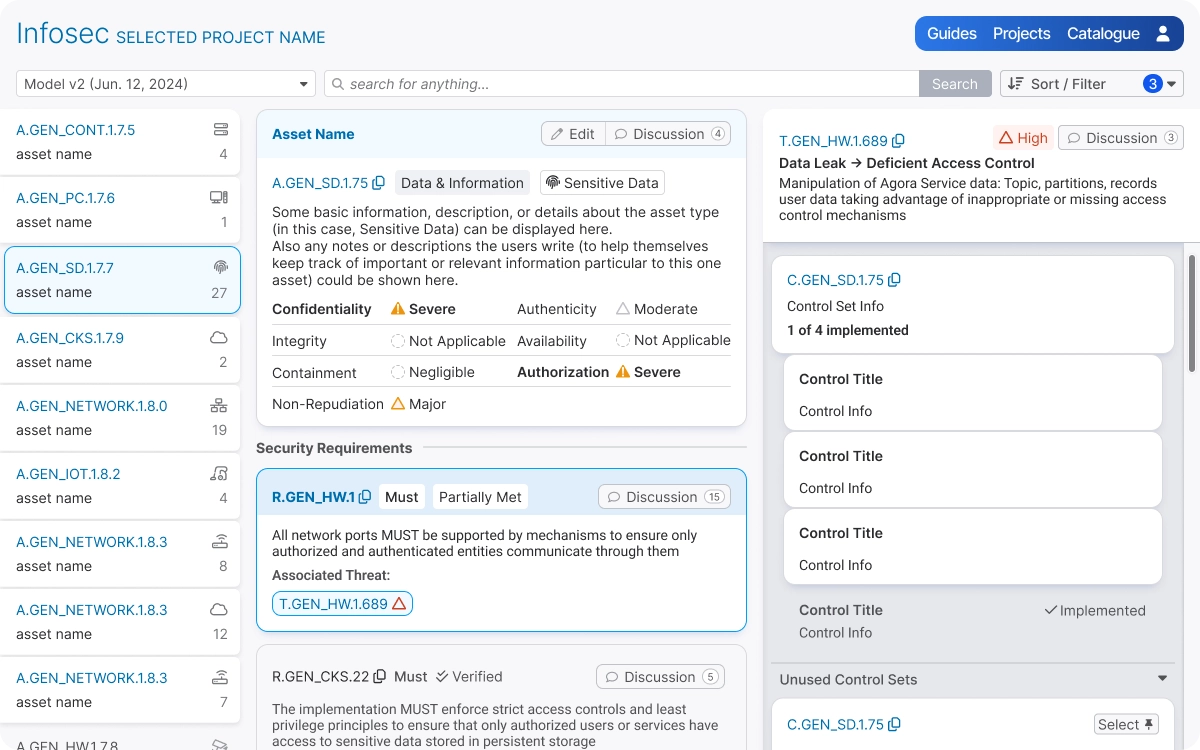
Project ListWe upgraded this page to serve as a unified dashboard. Showing each project's status with timelines allowed managers to keep an eye on progress without needing to memorize the details.
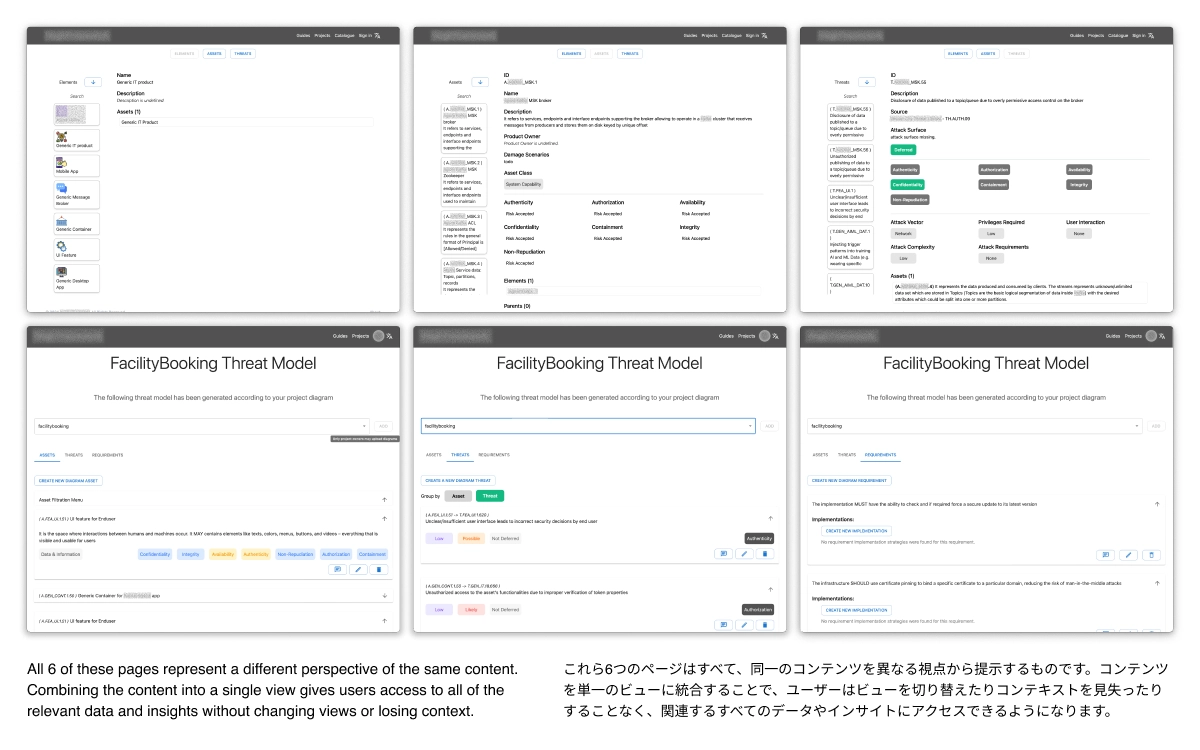
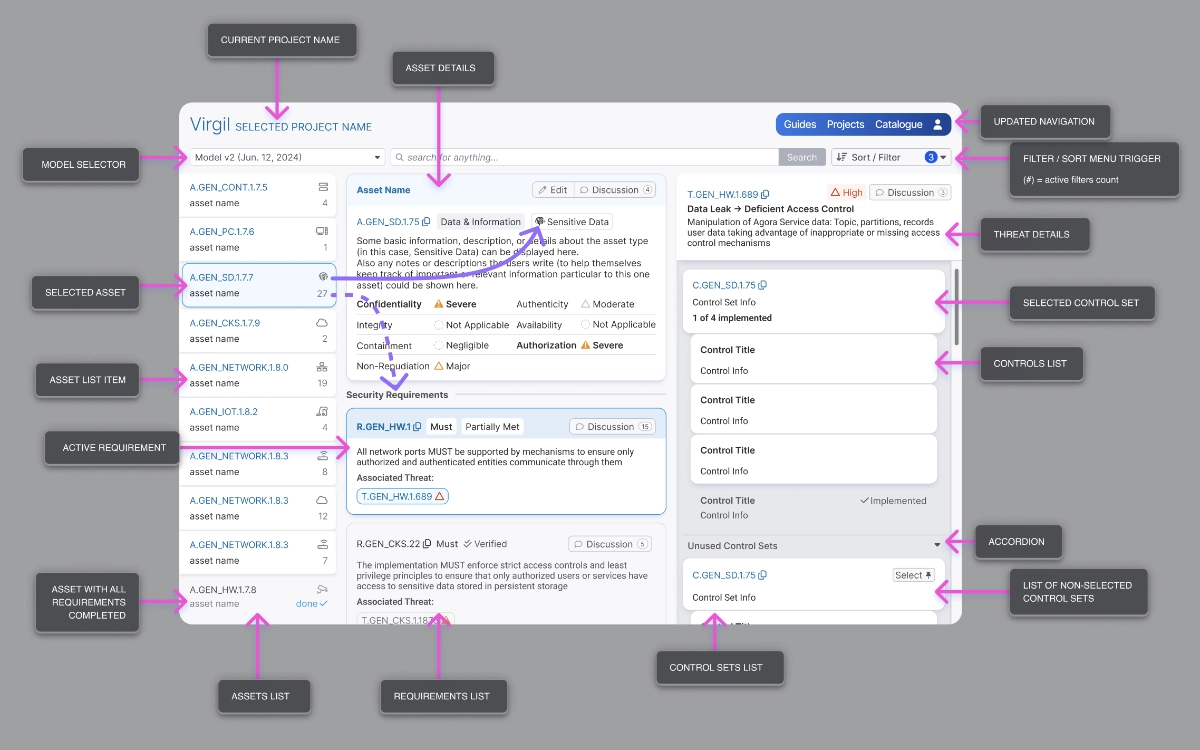
Risk Analysis UIThe expanded Risk Analysis UI shows risks by category, class, severity, and status. Managers, InfoSec Admins, and the development team can all collaborate on this single UI. Including links to documentation, status tagging, and ownership/oversight details improved inter-org communication and streamlined work.
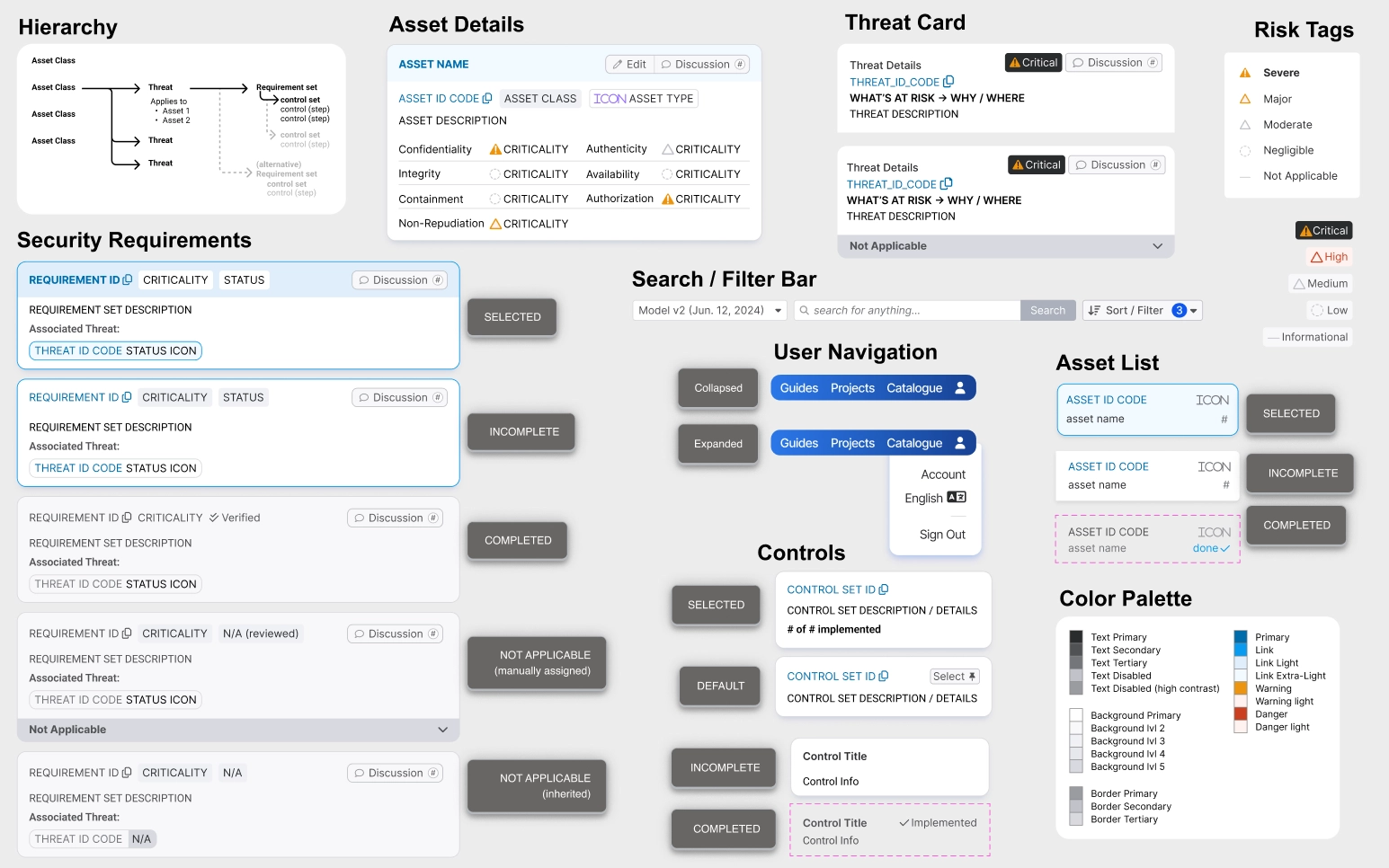
New UI Component DesignsThe updated UI needs to show a lot of complex and interrelated data in a dense space, so we created several new components to visually distinguish the data and guide the user's attention.
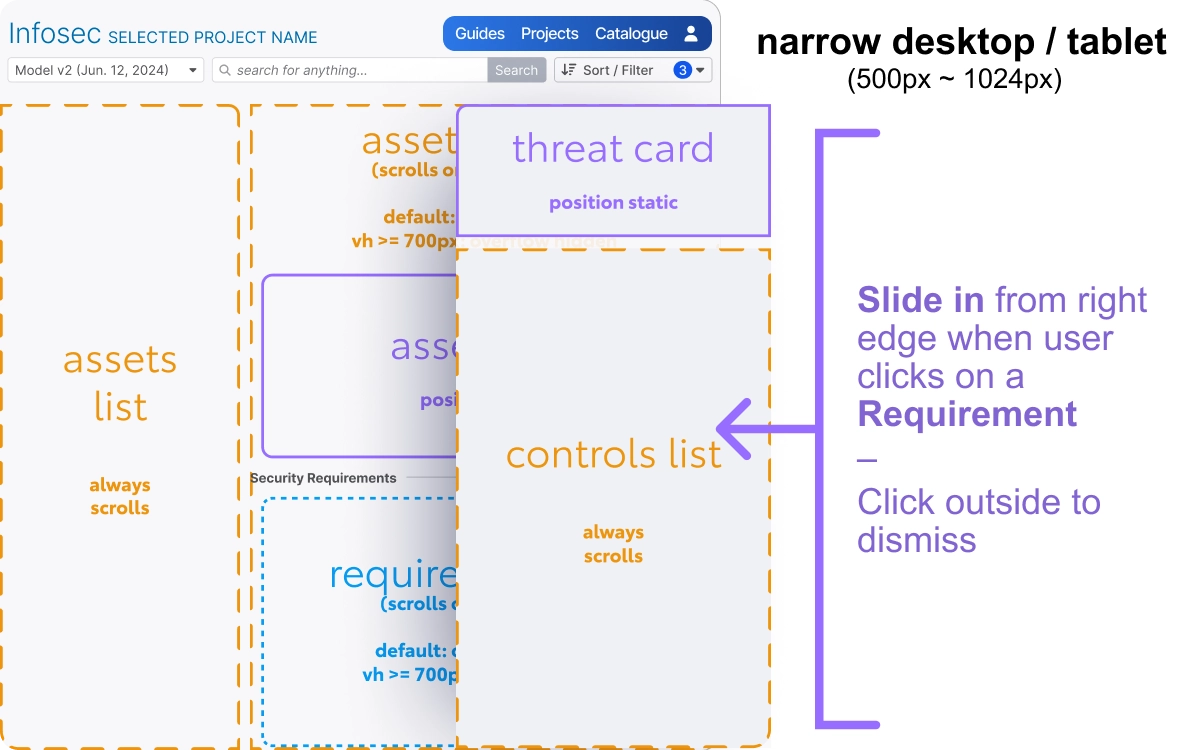
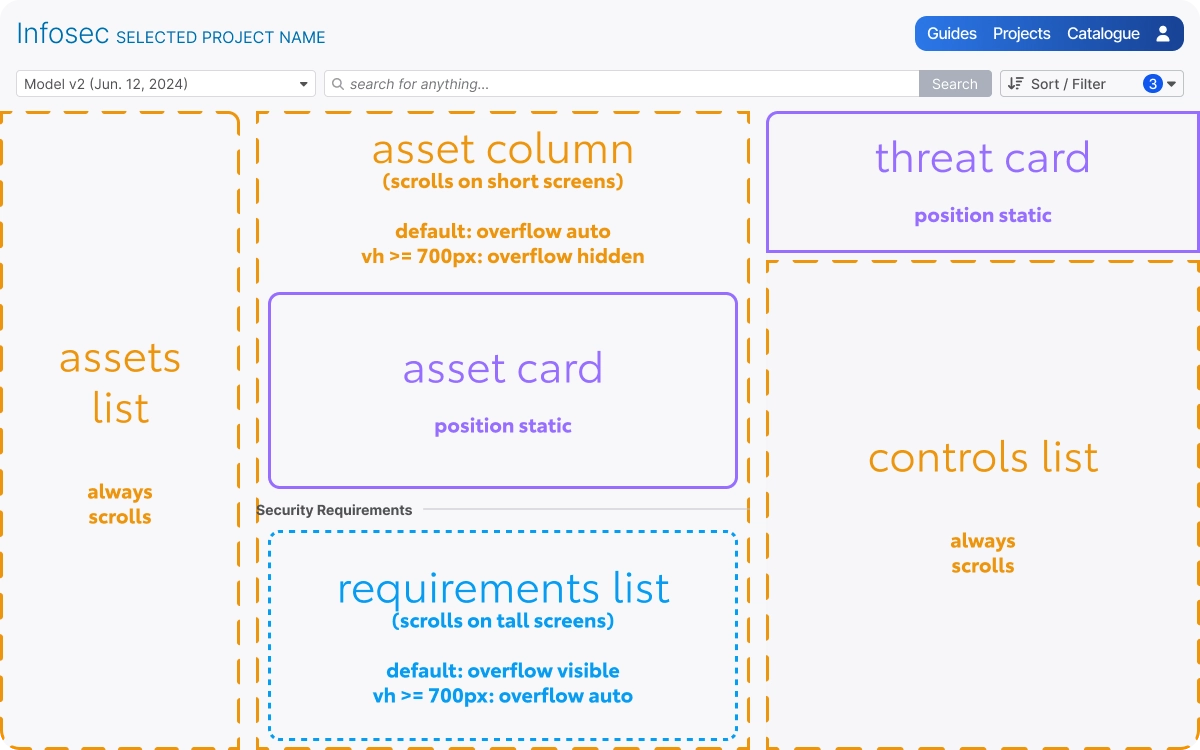
Risk Analysis UI (development guideline)For complex UIs like this, our team at Brown Juice Co typically creates a secondary set of UI guidelines that show the overall structure of each page, including details about positioning and about which sections allow for scrolling. By ensuring the foundation of the page structure is communicated clearly, we can avoid costly rebuilding efforts later in the development process.
InfoSec Risk Management
An all-in-one project tracker and knowledge-base to improve collaboration between engineers and InfoSec.
Don't get left behind! Brown Juice Co can help.
If you want to make a good product, trust yourself.
If you want to make a great product, trust the experts.
Email us at [email protected] to have a free, no-pressure conversation about your team's goals and needs.

 PNSN map screen
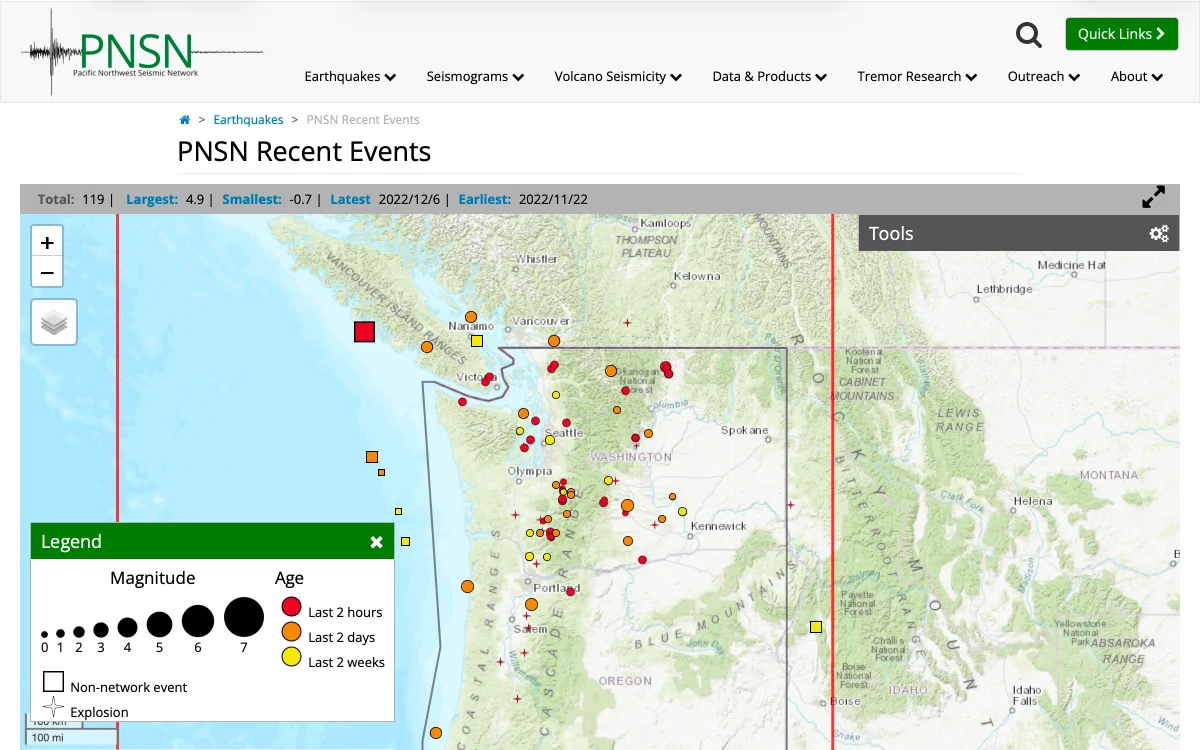
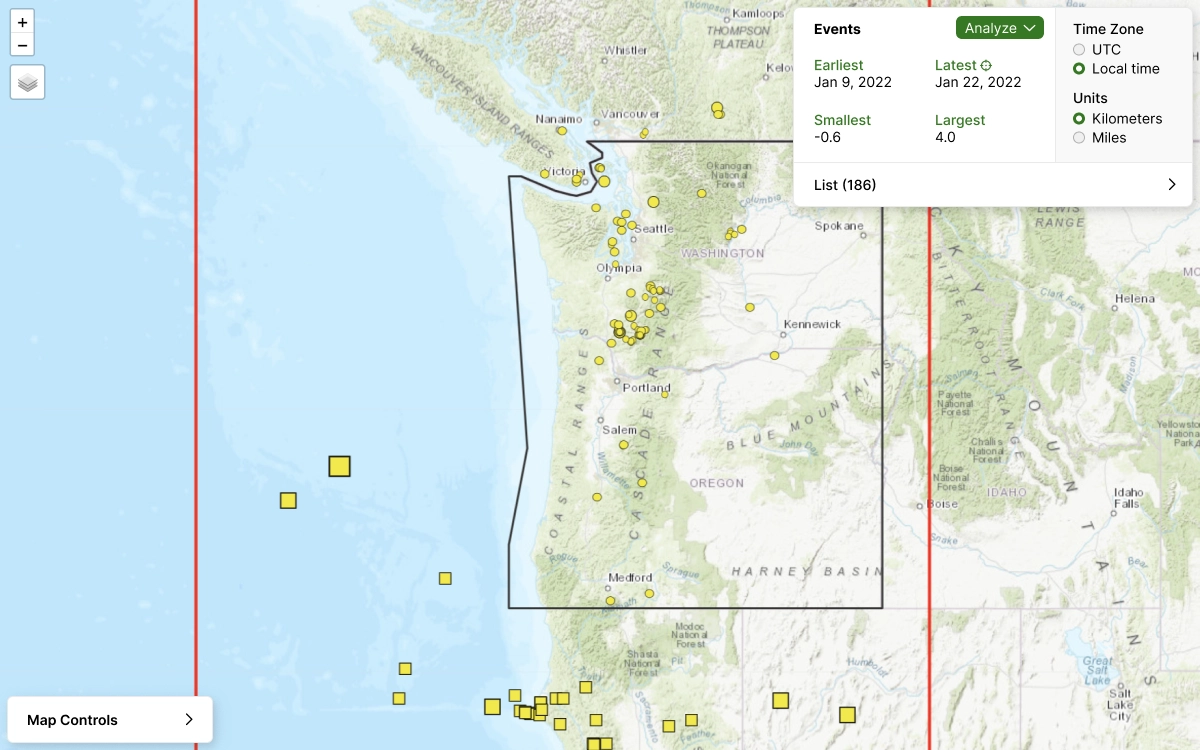
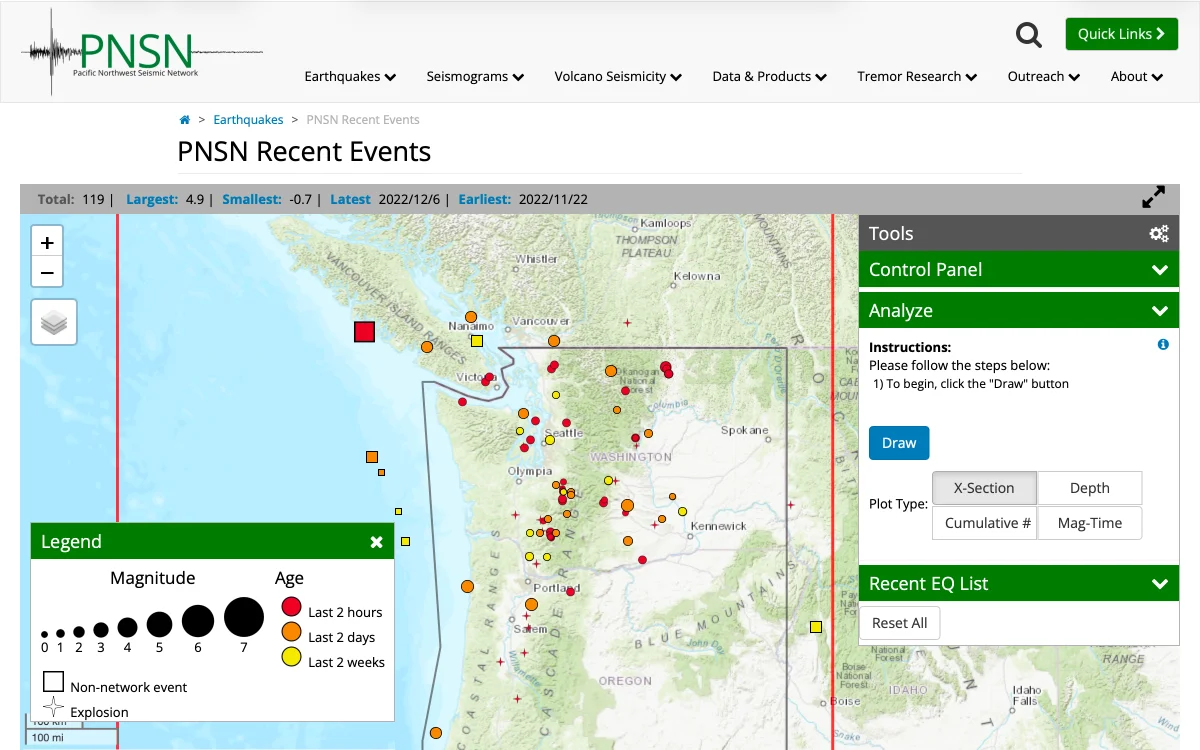
Seeing and analyzing events is the primary purpose of this map screen, so we worked to remove all of the 'chrome' (outside UI, buttons, and menus) so that the map could fill the full screen.
PNSN map screen
Seeing and analyzing events is the primary purpose of this map screen, so we worked to remove all of the 'chrome' (outside UI, buttons, and menus) so that the map could fill the full screen.
 Recent Events List
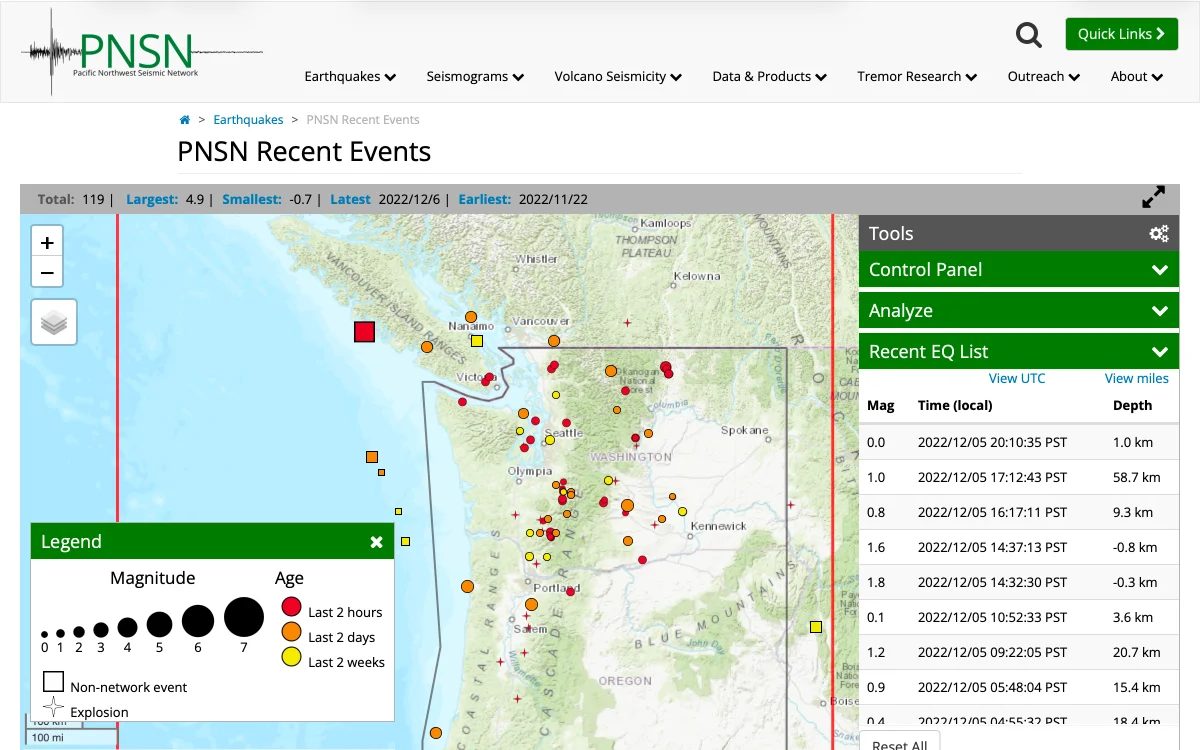
As with the previous version, the Recent Events List is expandable. We also added new features so that the events can be sorted by magnitude, time, or depth.
Recent Events List
As with the previous version, the Recent Events List is expandable. We also added new features so that the events can be sorted by magnitude, time, or depth.
 Event Selected
After selecting an event, the Event Details pop-up appears. We improved the layout and consolidated the data to match the user's preferences (eg, 'metric' vs 'imperial' measurements).
Event Selected
After selecting an event, the Event Details pop-up appears. We improved the layout and consolidated the data to match the user's preferences (eg, 'metric' vs 'imperial' measurements).
 Control Panel
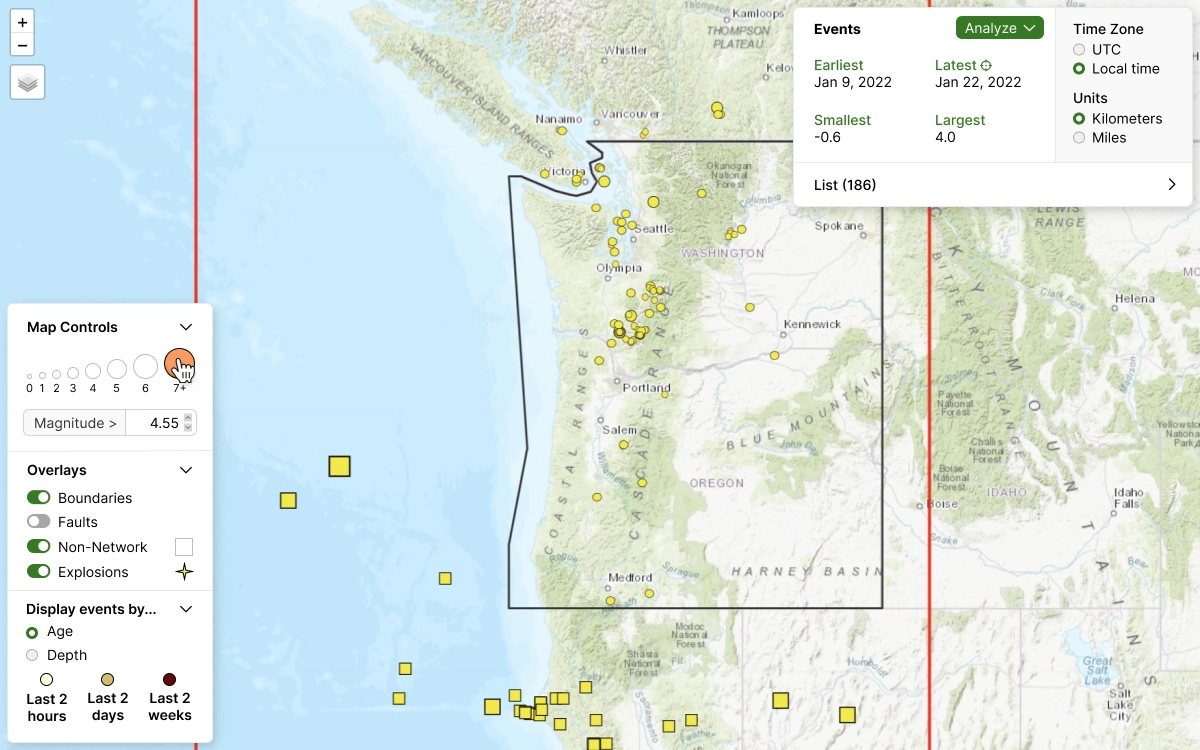
The new control panel consolidates all of the options and settings in a single pane. Additionally, by combining the Map Legend and the Magnitude filter, the filter options are easier to correlate with the events.
Control Panel
The new control panel consolidates all of the options and settings in a single pane. Additionally, by combining the Map Legend and the Magnitude filter, the filter options are easier to correlate with the events.
 Analyze-Event Panel
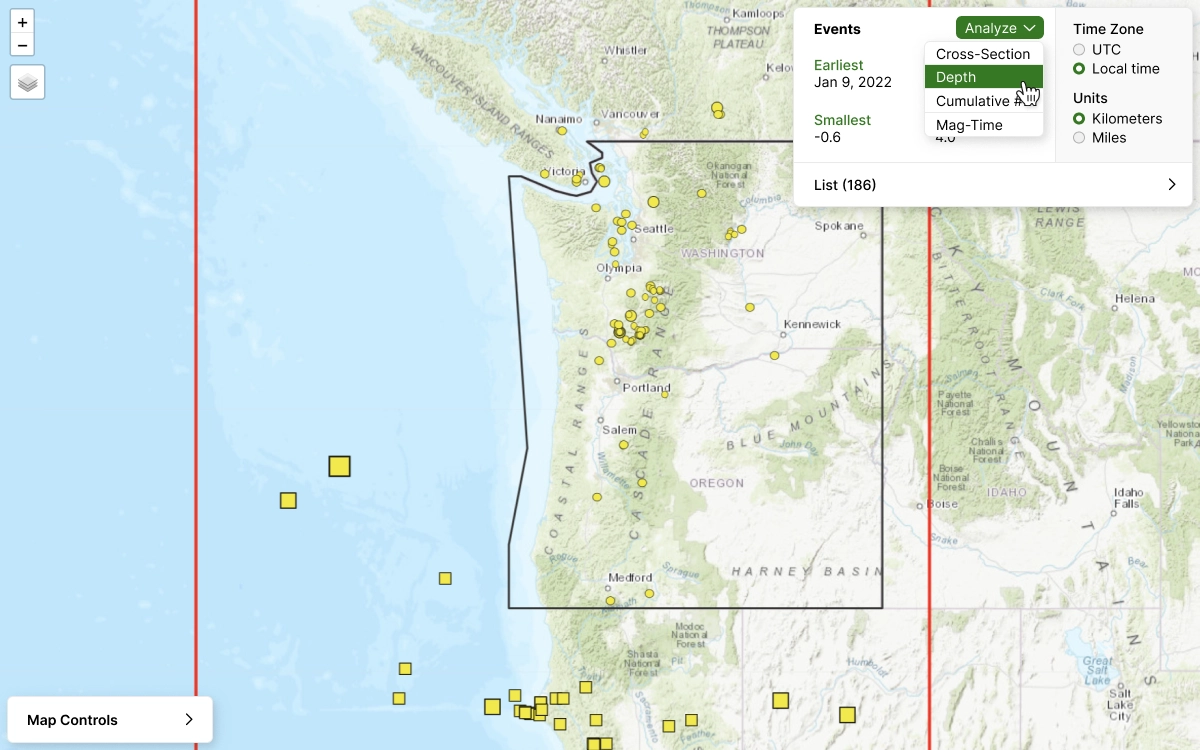
Condensing the Analysis Options into a simple menu keeps them readily available without cluttering the screen or switching panels. Once a cross-section is drawn, the Event List is populated with the highlighted events.
Analyze-Event Panel
Condensing the Analysis Options into a simple menu keeps them readily available without cluttering the screen or switching panels. Once a cross-section is drawn, the Event List is populated with the highlighted events.
 New UI Component Designs
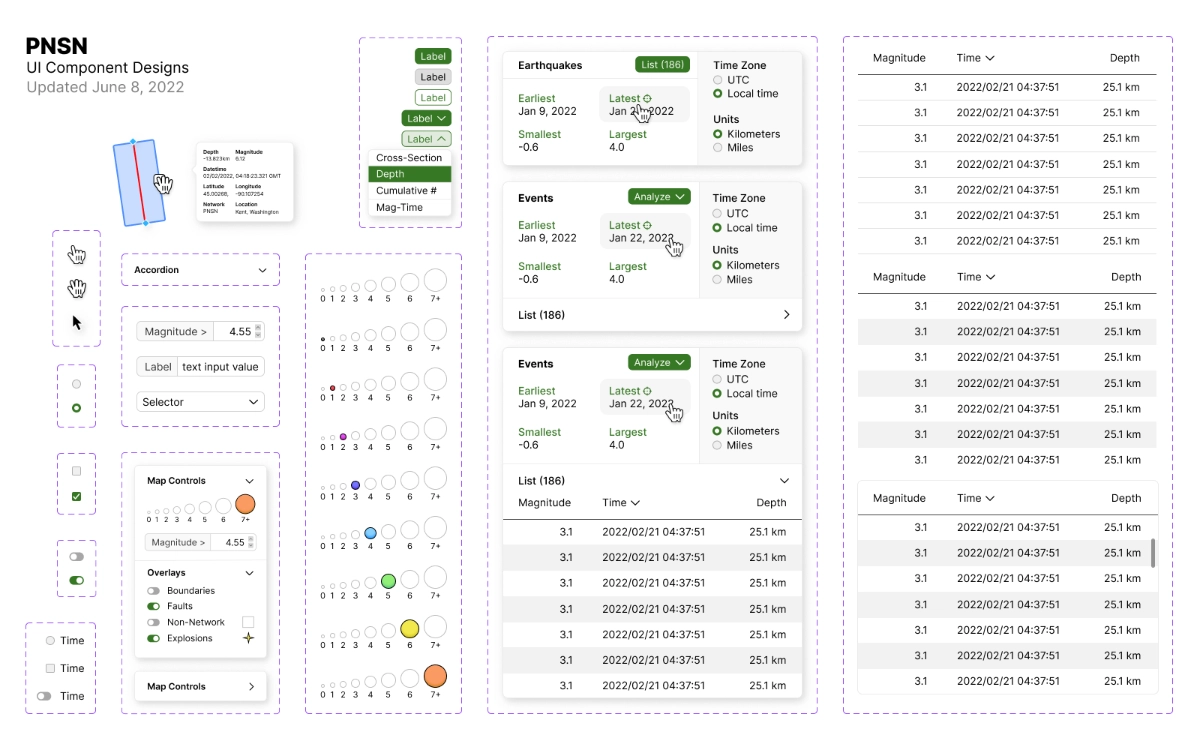
The users complained that the old UI felt 'clunky' and 'unpolished'. Updating the aesthetic with modern-looking components helped the interface feel more professional.
New UI Component Designs
The users complained that the old UI felt 'clunky' and 'unpolished'. Updating the aesthetic with modern-looking components helped the interface feel more professional.
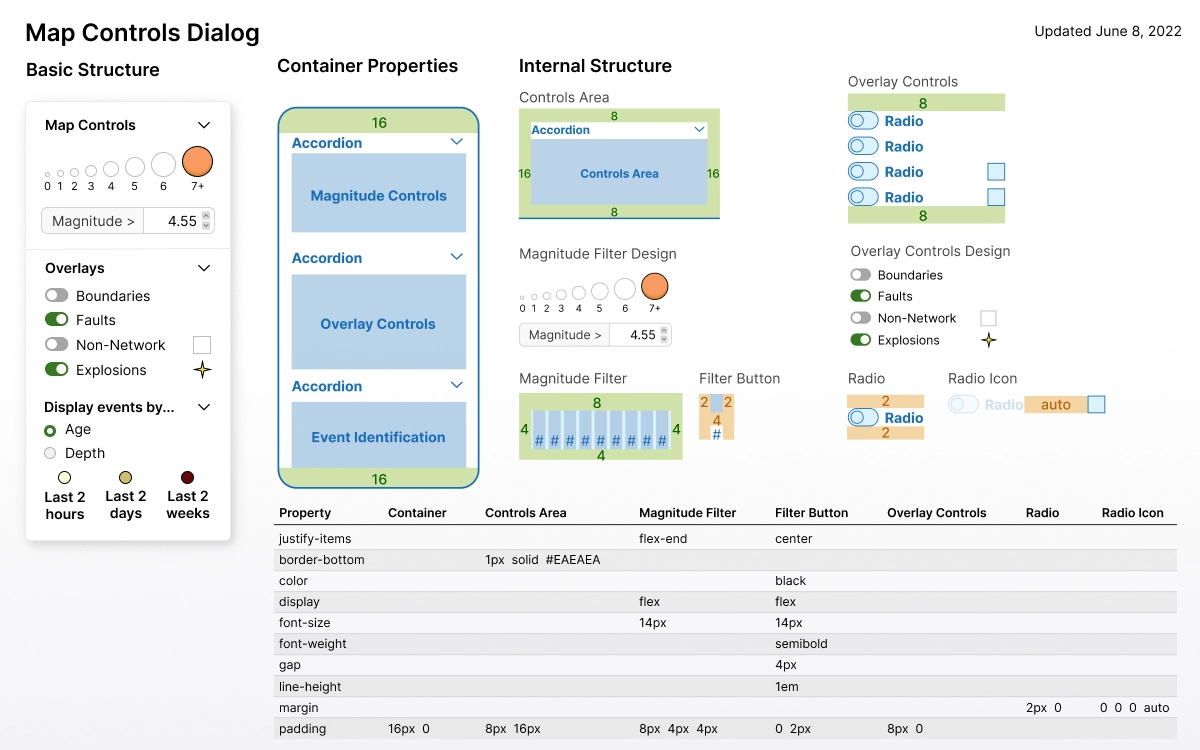 Development Documentation
We created precise and easy-to-read documentation for each component to help the engineers build each component correctly. Separating the design into 'containers' and 'elements' makes the guidelines easier to understand.
Development Documentation
We created precise and easy-to-read documentation for each component to help the engineers build each component correctly. Separating the design into 'containers' and 'elements' makes the guidelines easier to understand.